
Hello Kitty Party Land Beginner Guide: First Hour
Manual-backed first steps: difficulty, avatar dress-up, partner pick, Game Pad menus and Hometown facilities that unlock as you progress, plus where to start.
What should a new player do first in Hello Kitty Party Land?
Follow the Bandai Namco America game manual setup flow: pick player count (local 1–4 or online with friends), set difficulty, dress up your avatar, choose a partner, then explore Party Land (Hometown). This unofficial wiki paraphrases that manual—it does not add secret routes or farming rates. For multiplayer rules, read how to play online with friends; for board objectives, start at board game mode overview.

Hello Kitty Party Land official guided tour
The guided tour video shows avatar creation and facilities visually; it does not replace the manual for difficulty menus, online lobbies, or Waterwheel odds.
Before You Play (manual checklist)
Difficulty level
Choose Easy through Super Hard to set minigame difficulty. The manual notes you re-select difficulty each time you start the game—not a permanent account setting. Crown icons and challenge rewards in the Minigame Corner are explained in difficulty settings and crown challenges.
Dress-up
Customize eyes, hair, eyebrows, and skin tone before entering Party Land.
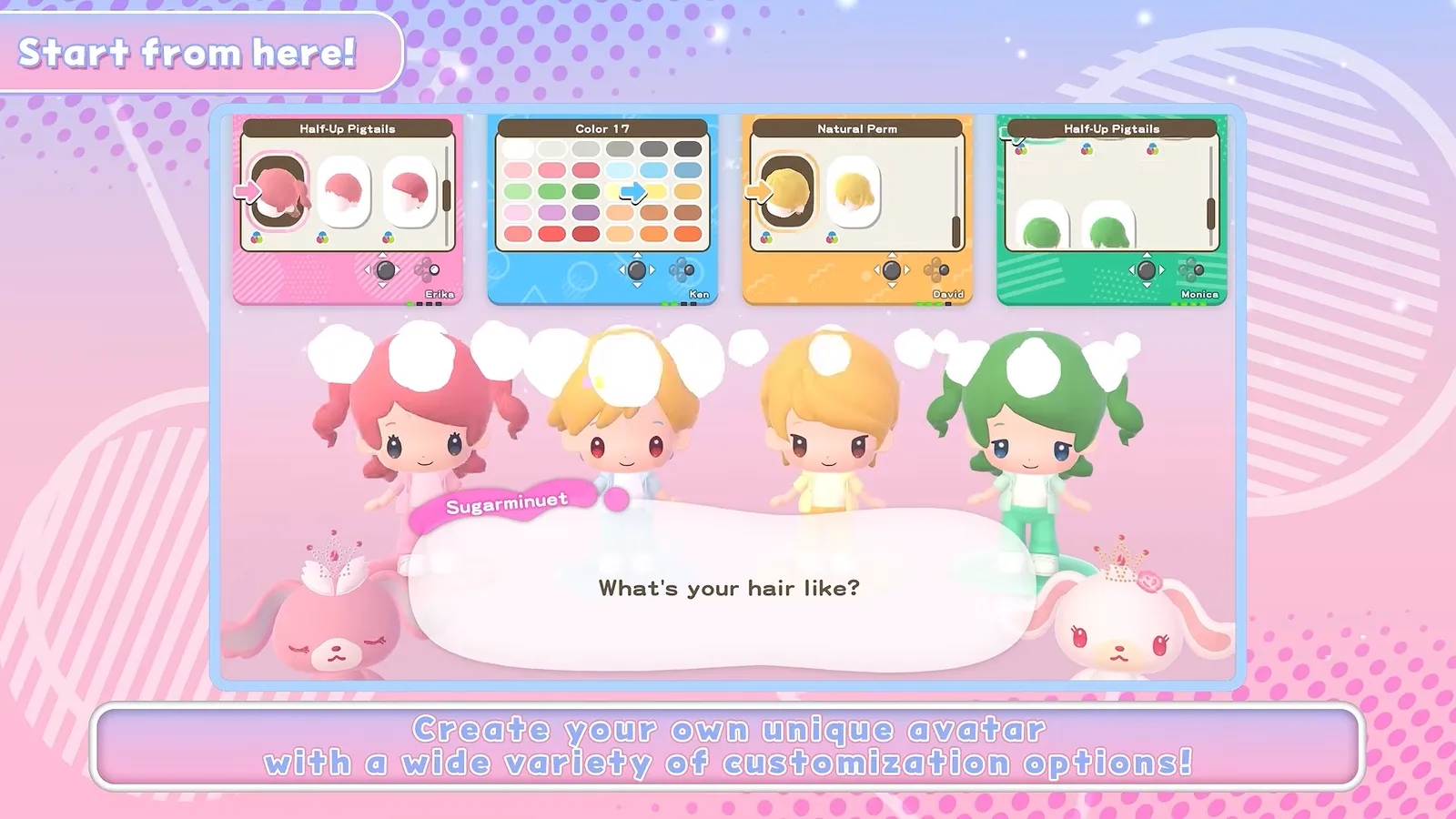
Source: Hello Kitty Party Land Guided Tour (Bandai Namco), 0:20 (video).
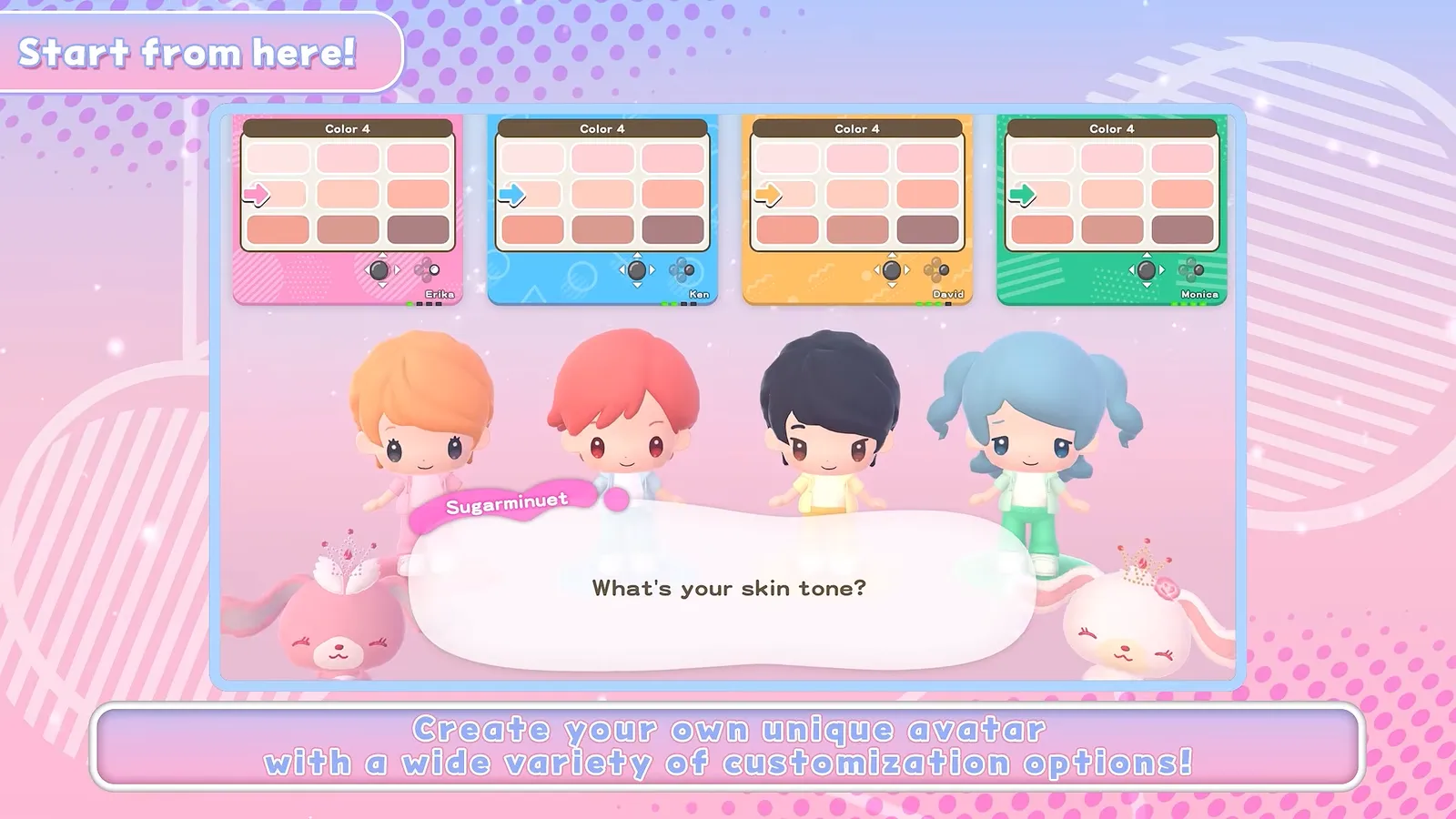
Source: Hello Kitty Party Land Guided Tour (Bandai Namco), 0:24 (video).
Later changes: Make-Up Salon, 3rd floor of the Shopping Mall (appearance changes there are free, per the Dress-Up chapter).
Partner selection
Pick a partner to explore with. Change partners later at the Partner Room in the Photo Studio. Roster size and unlock notes (for example Badtz-Maru after Blooming Flower Festival) live in all playable partner characters.
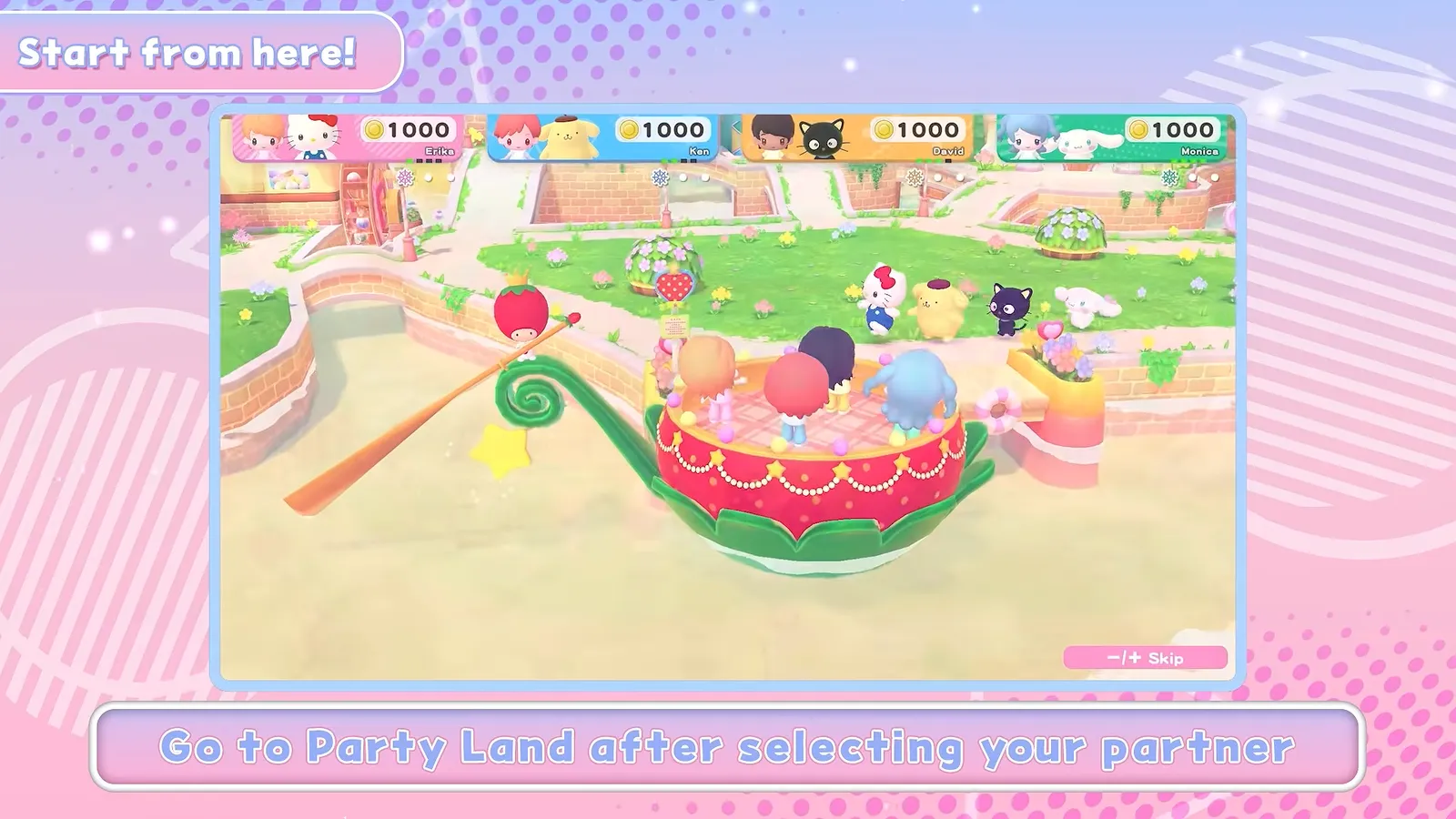
Source: Hello Kitty Party Land Guided Tour (Bandai Namco), 0:32 (video).
First-hour route (manual order)
- Finish Before You Play — difficulty, avatar, partner (steps above).
- Enter Hometown — press the interact button to talk to characters and start activities; the manual’s Party Land chapter describes free exploration with your partner.
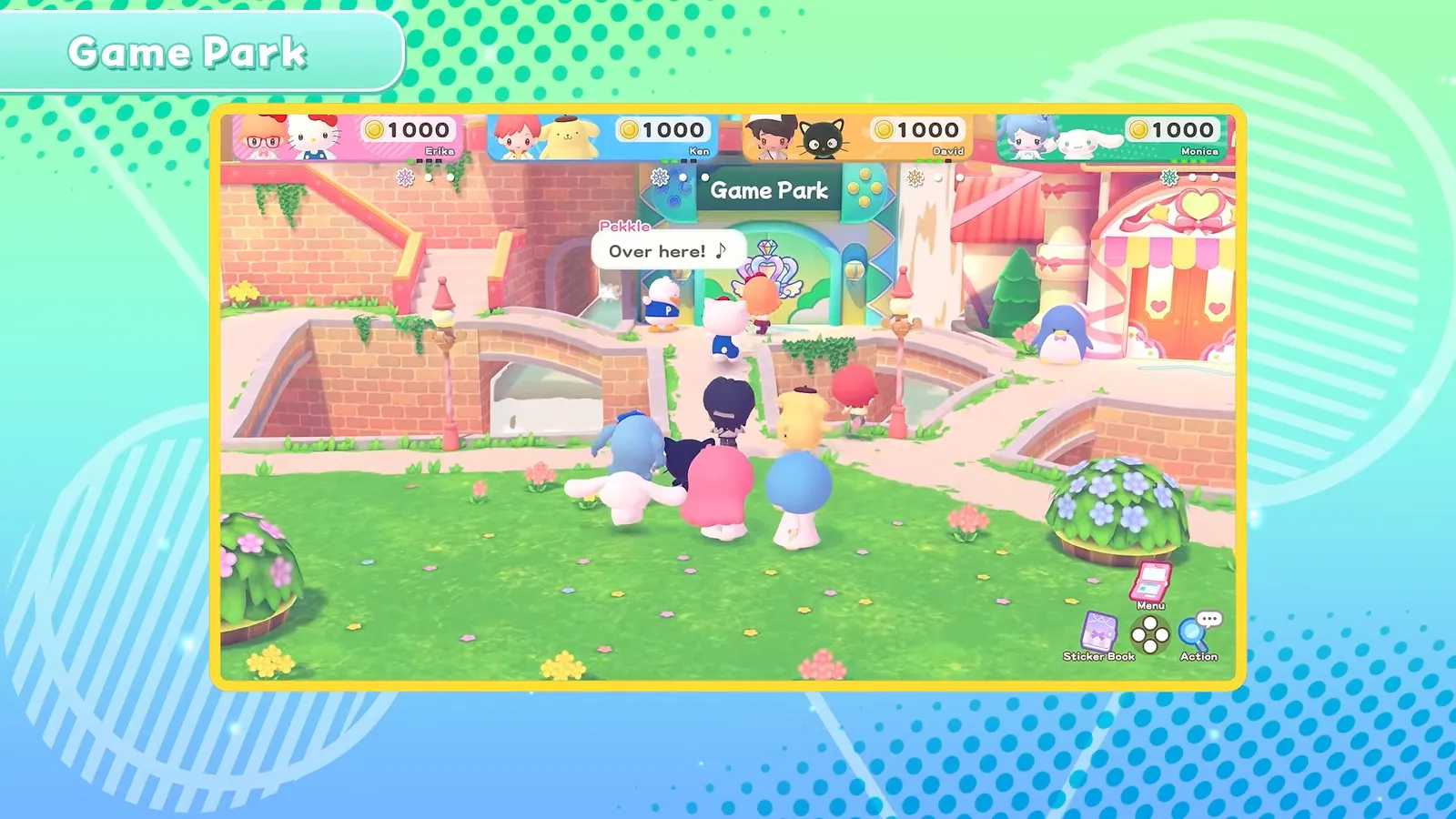
- Open the Game Park — play minigames (co-op, rules-first) or start a board game at the receptionist; petit games run on the Game Pad while others roam.
- Visit the Shopping Mall — spend coins earned from board games and other modes; try clothes before buying.
- Check the Game Pad — inventory tools, partner friendship ★, clothing, and favorite outfit sets (see below).
- When stuck on buttons — the manual’s Basic Controls chapter lists horizontal Joy-Con vs two Joy-Con / Pro layouts.
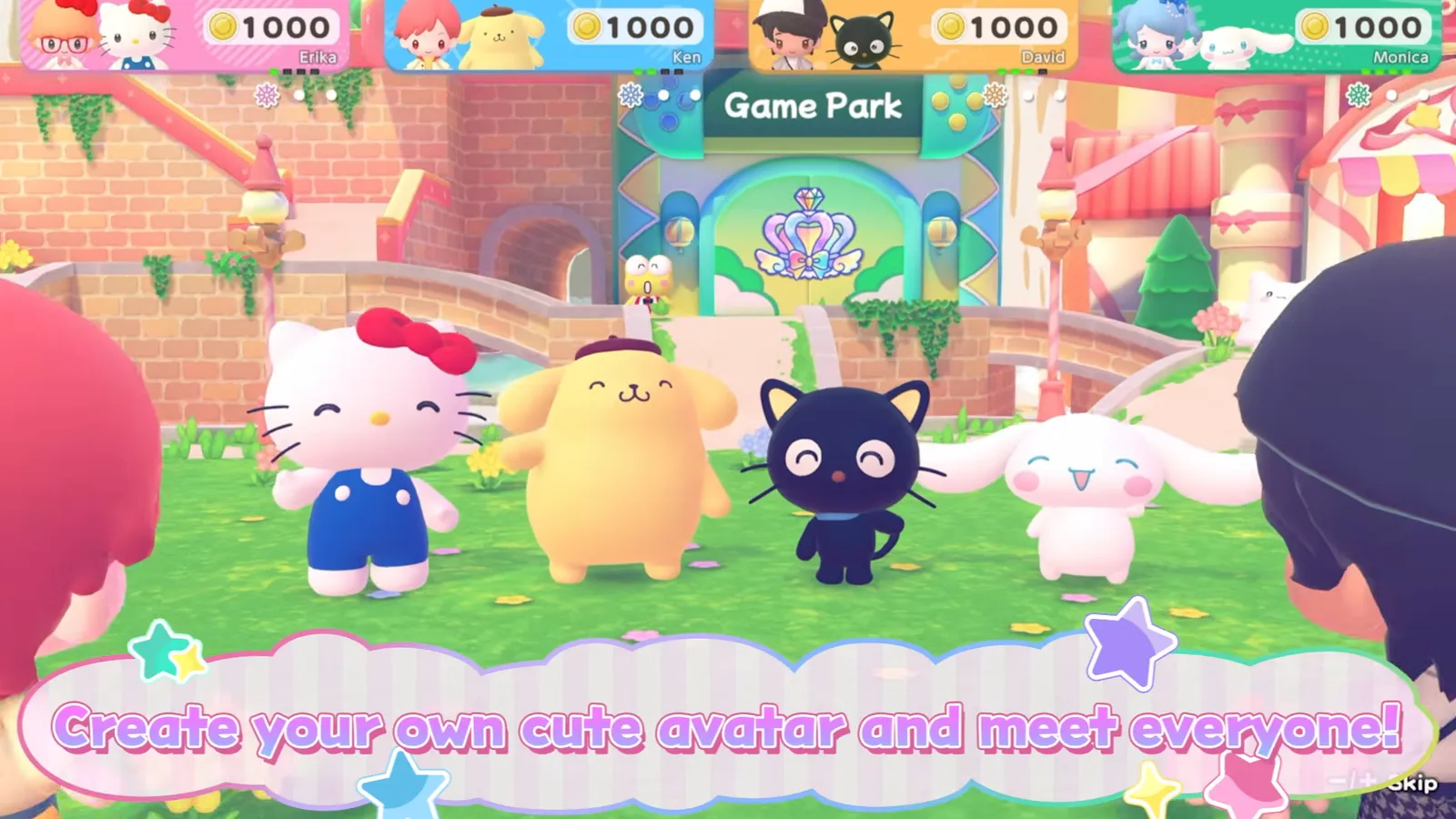
Source: Hello Kitty Party Land Announcement Trailer (Bandai Namco), 0:28 (video).
Source: Hello Kitty Party Land Guided Tour (Bandai Namco), 0:48 (video).
Hometown facilities (unlock as you progress)
The manual states usable facilities increase as you progress:
| # | Facility | Manual summary |
|---|---|---|
| 1 | Game Park | Board games and various games; Minigame Corner at the rightmost counter for free replays—watch for present icons. |
| 2 | Shopping Mall | Multiple stores; coins for purchases; Make-Up Salon on floor 3. |
| 3 | Sky Farm | Garden above the clouds with petit games. |
| 4 | Creative Labo | Melody Cake, Poster Studio, Labo Puzzle for coins, stickers, or tools. |
| 5 | Photo Studio | Backdrops and photos; partner room to swap partners. |
| 6 | Exit | Return to title screen from the dock. |
Board-specific quotas (flowers, droplets, sparks) are on each map page—Blooming Flower Festival, Tropical Twilight, Sparkling Neon Night. Minigame names and official blurbs are collected in all minigames list (the tour cites over 45 minigames; Bandai Namco’s site lists a smaller set of featured titles).
Currency and side activities (short)
- Coins — shown on the HUD; earned from board games and other modes; spent at the Shopping Mall.
- Waterwheel Tickets — obtained after a certain amount of time; redeemed at the Waterwheel beside Creative Labo for prizes such as coins or hairstyles.
- Hide-and-Seek — friends may ask for help finding someone using the drone camera; rewards can include Waterwheel Tickets.
- Stickers — talk and play to fill the Sticker Book; optional decoration on the early-purchase Character T-shirt (sticker book guide, codes and pre-order bonus).
Game Pad menus (manual)
Press the Game Pad button in Hometown to open three menu areas:
Inventory
Shows tools (starting set includes Watering Can, Shovel, Fishing Rod, Fruit Basket, Bug Net). A gauge tracks each tool’s ability level as it increases.
Partner menu
Lists partner characters and any special clothing you can equip. Friendship level (★ above each character) rises when you play or chat; high friendship may grant special clothing (the manual mentions clothing found at “the cave” for special sets).
Clothing and favorites
Change outfits from the Clothing menu (pick style, then color). Register up to eight favorite combinations under Favorites for quick swaps. Uniforms block separate tops or bottoms, per the manual.
Where to go after your first session
- Compare Switch vs Switch 2 ownership and saves: Switch 1 vs Switch 2.
- Plan a board night: board game mode overview.
- Decide if the game fits your group: is Hello Kitty Party Land worth it?.
FAQ
Can I change my avatar or partner after starting?
What is the difference between minigames and petit games?
Where do I spend coins?
How do I open the Game Pad menus?
Related Articles
Board Games
Blooming Flower Festival Board — Flowers, Quota, and Spaces
Blooming Flower Festival rules at Medium: 150 flowers per player, one delivery point, Plus Spaces, Marroncream pickups, and the on-screen HUD.
Board Games
Hello Kitty Party Land Board Game Mode: Rules & Three Maps
How board game mode works at Game Park: three maps, turn order, spaces, petit games, delivery quotas at Medium, and how coins are earned.
Board Games
Sparkling Neon Night Board — Sparks, Charge, and Neon Spaces
Sparkling Neon Night board at Medium: 200 sparks per delivery site, Roulette and TV Game spaces, Goropikadon's show theme, and HUD cues from trailers.
Was this helpful?
Thanks for the feedback!